AutoScroll v1.3.1
Hands-Free Scrolling & Smart Navigation for Chrome
Two independent modes in one extension: Classic AutoScroll for hands-free continuous reading, and Smart Navigation for quick jump-to-top/bottom controls. Pick the mode that fits how you browse. Works on ChatGPT, Claude & Gemini.

Two Modes — One Extension
Choose the mode in the extension settings. The two modes are mutually exclusive — only one is active at a time.
Classic AutoScroll
Continuous automatic scrolling — no hands needed. Set it going and read at your own pace.
- Page scrolls continuously without any input
- Start and stop with Middle Mouse Button (scroll wheel click)
- Optional trigger: Ctrl + Left Click (enabled in settings)
- Links still work normally — clicks are not intercepted
- Stops automatically when the bottom of the page is reached
- Scrolls through long chats on ChatGPT, Claude & Gemini — ideal for reviewing lengthy AI conversations hands-free
Smart Navigation
Quick navigation controls for jumping between the top and bottom of any page.
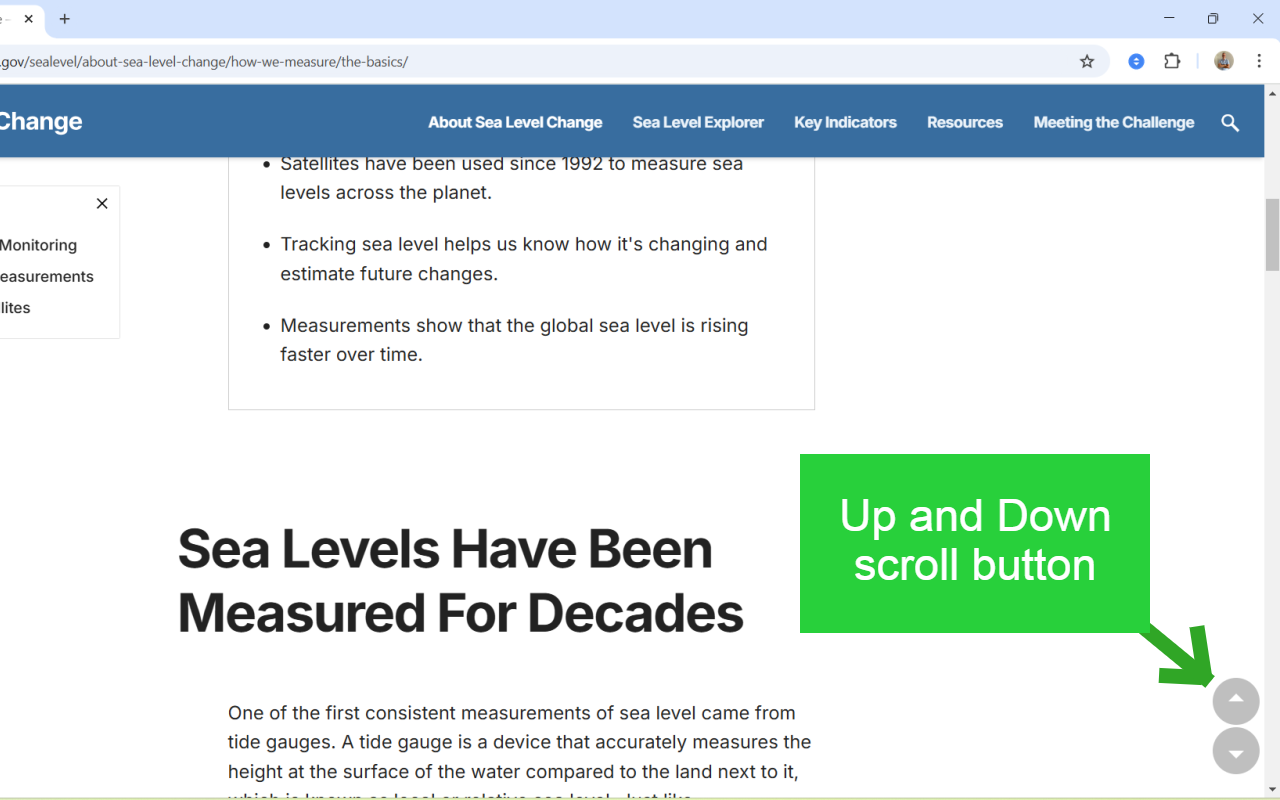
Arrow Mode
Two arrows in the corner of the screen. Click to scroll up or down instantly. Adjustable size and opacity.
Zone Mode
No visible buttons. Double-click the top or bottom edge of the screen to jump. Clean, distraction-free interface.
Arrow Mode
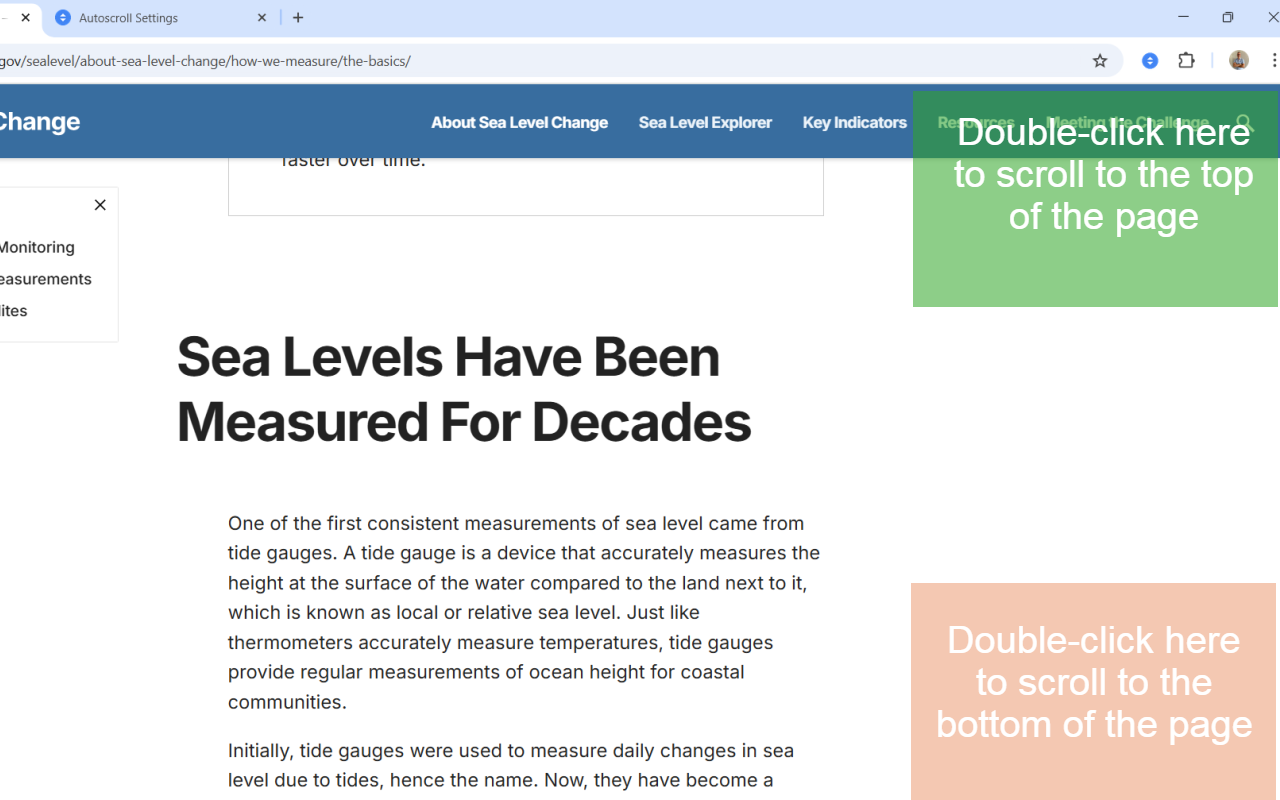
Zone Mode
Extension Icon Status Indicator
The extension icon always shows what's happening. Hover over it for a tooltip with the current state and a quick usage tip.
Arrow or Zone mode is on and ready to use
Mode is selected, waiting for you to start scrolling
Page is currently scrolling automatically
All Features
Classic AutoScroll
- Hands-free continuous scrolling
- Middle Mouse Button trigger
- Optional Ctrl + Left Click trigger
- Auto-stops at page end
- Links work as normal
Smart Navigation
- Arrow Mode with customizable size and opacity
- Zone Mode for a clean interface
- Instant jump to top or bottom
- Intelligent show/hide behavior
Settings & Control
- Switch modes from the extension popup
- Customize scrolling speed
- Choose trigger method for Classic mode
- Status indicator always visible on icon
Who It's For
Readers & Researchers
Use Classic AutoScroll to read long articles, papers, or documentation hands-free at a comfortable pace.
Developers
Navigate through long documentation pages and chat histories in ChatGPT, Claude, or Gemini without losing your place.
Content Creators
Review long drafts and AI-generated content comfortably using either scroll mode.
Students
Read course materials, research pages, and AI conversation histories without constant scrolling.
Technical
Lightweight and focused. AutoScroll does one thing well and stays out of your way.
Minimal resource usage — no background processes when idle
Instant response, no perceptible delay on any action
Compatible with standard pages, ChatGPT, Claude, and Gemini
No data collection, no external requests
Try AutoScroll v1.3.1
Free in the Chrome Web Store